Textablo.note

Notes and a whiteboard. One note.

Write it as a document. Scroll, or flip the switch above, and the same note becomes a board you can arrange, connect and present.

Get started

Free for Windows 10 and 11. No account needed. v1.2.9

Why people switch

  • No account, no subscription
  • Your notes stay on your PC
  • Text and board stay in sync
  1. WriteHeadings, lists, tasks. A normal document.
  2. UnfoldEvery block becomes a card on the board.
  3. ConnectDraw arrows, group cards in a frame.
  4. PresentThe frame becomes a full-screen slide.

The small things you do all day

Textablo lives on your Windows desktop, so it can do what a website can’t.

Catch a thought from any app

Press Alt + Shift + N in your browser, in Word, anywhere. Type, and it lands in your inbox or the note you pick.

Reminders from what you type

Write “call Mark tomorrow at 10” and Textablo offers the reminder. Windows tells you when it’s time.

Clipboard history

Screenshots, links and text you copied stay one shortcut away while Textablo runs.

Notes behind a PIN

Lock a note and its text is encrypted on disk with AES-256. A recovery key keeps you from ever losing it.

A board that understands your text

Real screenshots from the app.

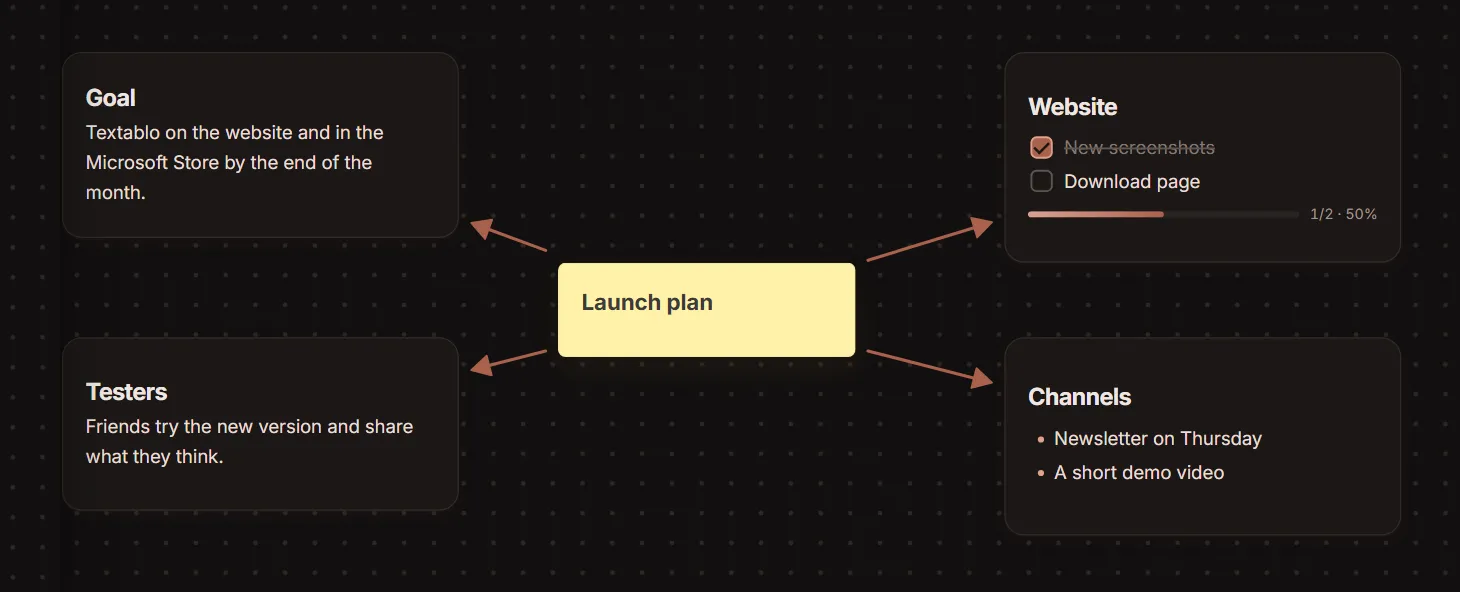
A mind map on a Textablo board
Mind map from headings. Each heading becomes a card, joined by arrows, still linked to the text.
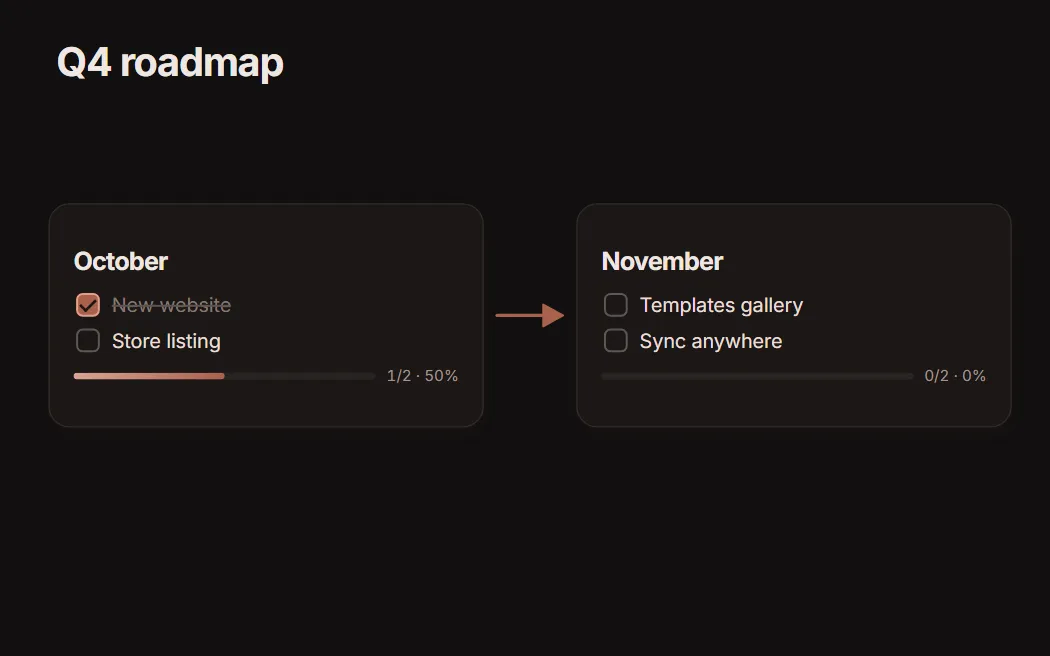
A frame of a Textablo board presented as a slide
Present from a frame. Put cards in a frame and show it full screen.
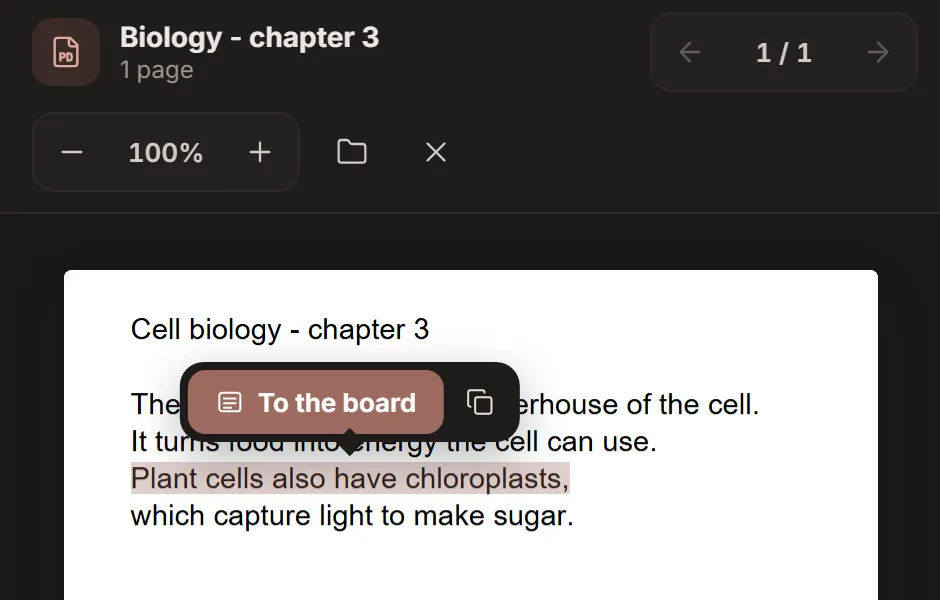
A PDF open beside the board, with a marked sentence and a To the board button
Read a PDF beside the board. Mark a sentence and it becomes a card with its page.

Start from a template

A blank board is the hardest page. Pick a ready-made one instead: you see each template as a picture before you choose it.

  • Kanban
  • Weekly planner
  • Mind map
  • Brainstorm
  • Roadmap
  • SWOT
  • Pros and cons
  • Retrospective
  • Study
  • Flowchart
  • Task table
  • Order sheet

Already on a board? Add any template’s parts next to what you have.
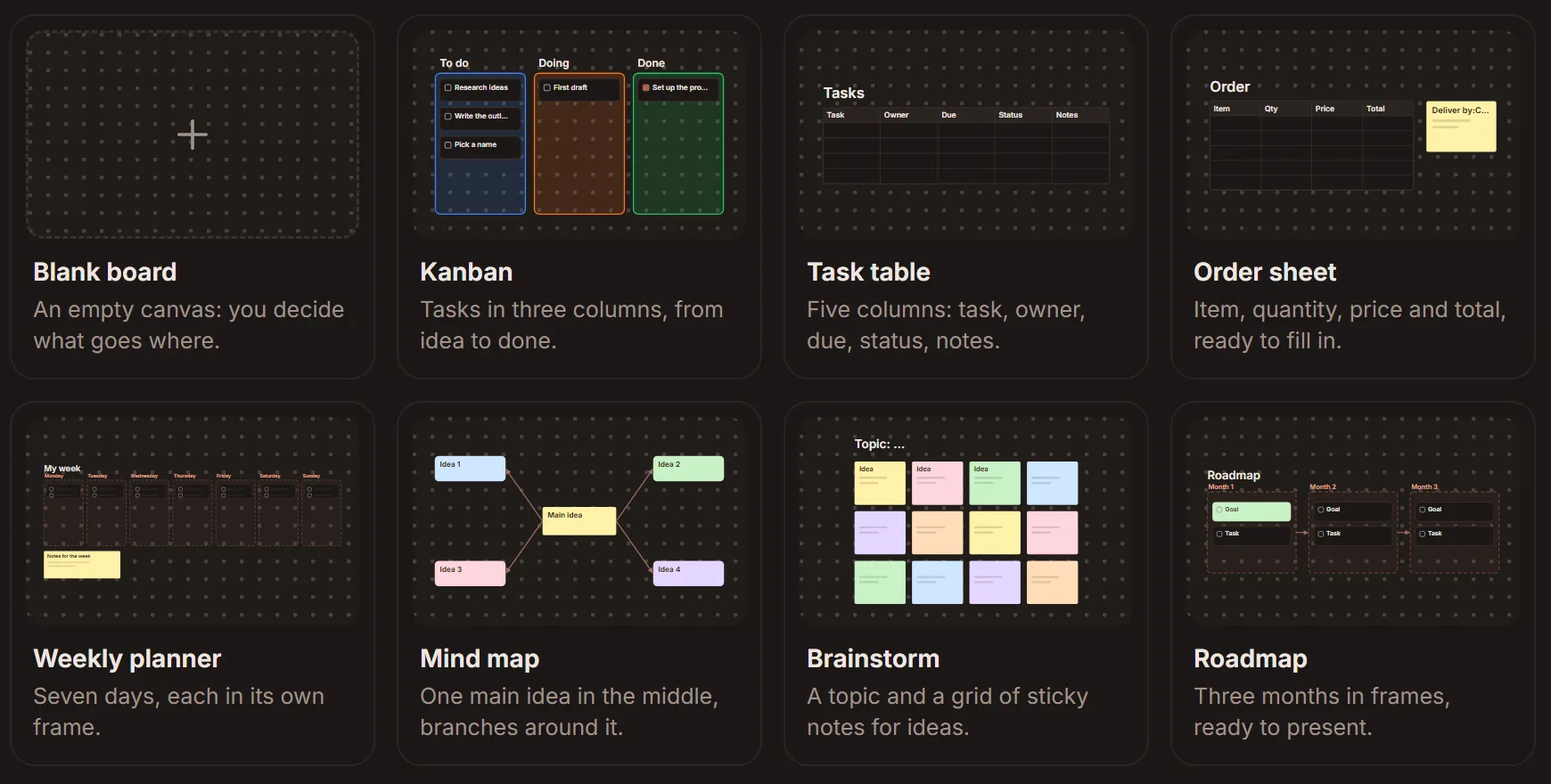
Textablo’s New board gallery: kanban, task table, order sheet, weekly planner, mind map, brainstorm and roadmap, each as a small picture

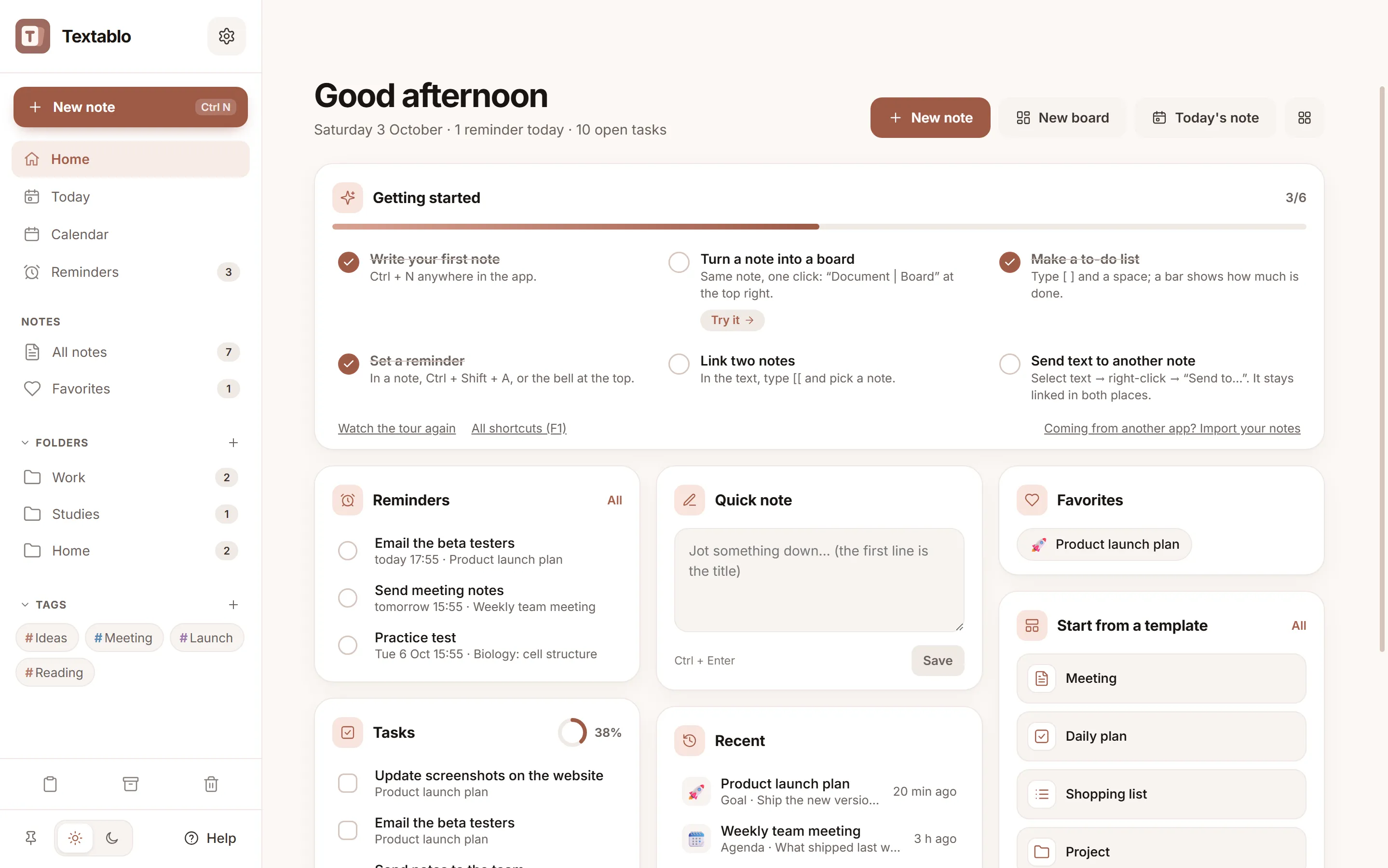
Light for the day. Dark for the night.

Drag across the screen. Textablo follows your Windows theme, or the one you pick.
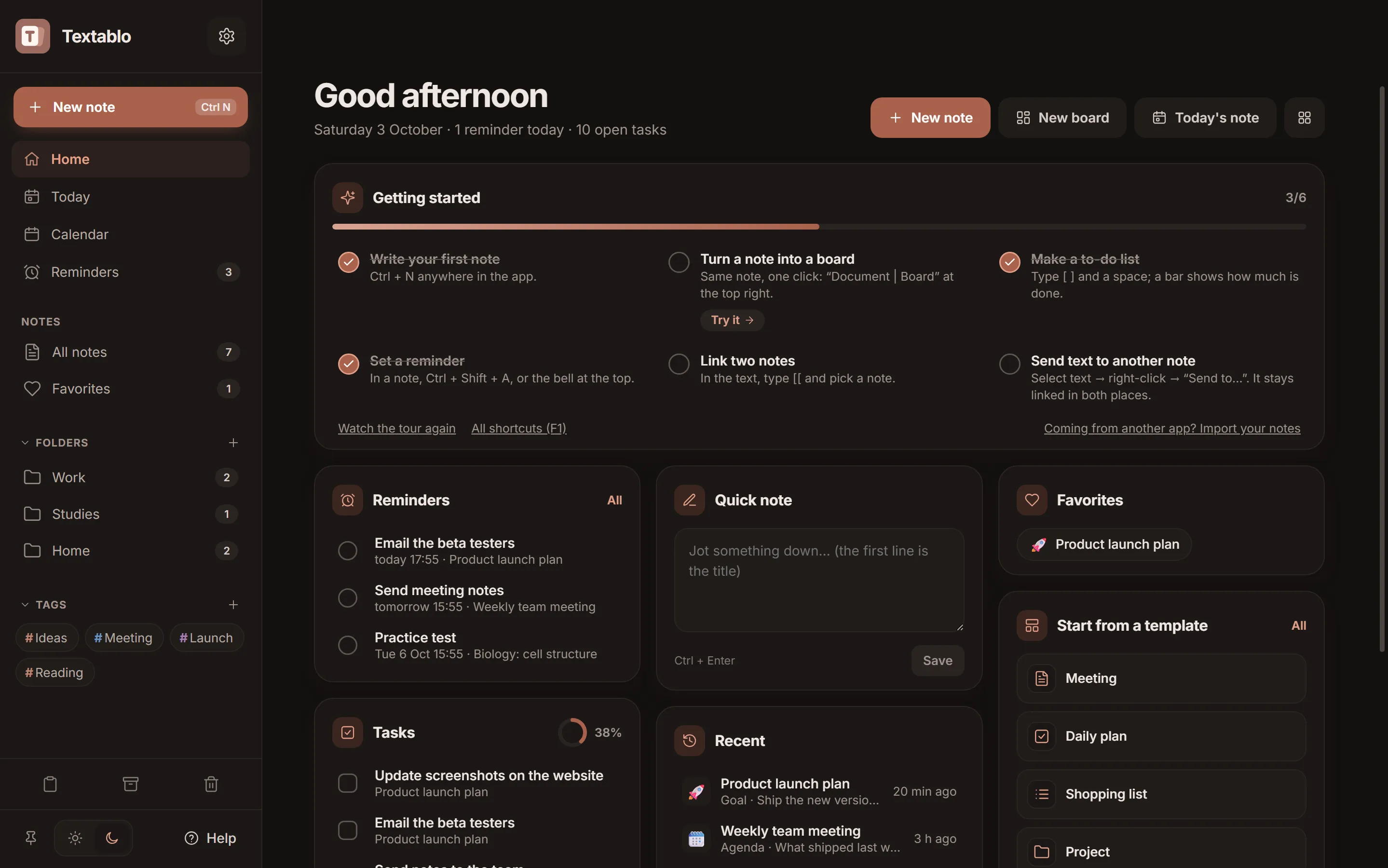
Textablo home screen in the dark theme
Textablo home screen in the light theme

The usual way, and Textablo

Most people keep notes in one app and boards in another, behind an account. Here is what changes.

The usual wayTextablo
Getting startedSign up and confirm your emailOpen the app and write
Notes and boardsA notes app plus a separate whiteboardOne note, shown as text or as a board
Text on the boardCopy it over and keep both up to date by handBlocks become cards, edits show in both views
Where notes liveOn a company’s serversIn a folder on your PC
CostA subscription, often one per appFree to download, no subscription
Private notesProtected by your account passwordPIN-locked and encrypted on disk
A quick ideaOpen the app, find the pageAlt + Shift + N from any app

No account. No tracking.

Textablo runs on your PC. Your notes are files on your computer, not rows in our database. We don’t have one.

Read the privacy policy
Signed updates
Every update is signed, so nobody can slip you a fake version.
A backup every day
Plus a version history for every note, kept automatically.
Sync only if you want
Through your own OneDrive or Google Drive folder.
Locked means locked
A locked note can’t be copied or exported until you enter its PIN.

And the rest of the notebook

  • Bring your notes

    Import from Notion, Evernote, Google Keep, Obsidian and Word.

  • Notes on your desktop

    Pin a note above every window while you work.

  • A page for today

    One click opens today’s note with your tasks and reminders.

  • Your calendar inside

    Reminders on a month view, next to your Google, Outlook or iCloud calendar.

  • Share as a link

    The note travels inside the link itself. No server keeps a copy.

  • Every version kept

    A backup every day and a history for each note.

Questions

Is Textablo free?

Yes. Notes, the board and everything on this page are free. An optional Plus may come later for people who want more.

Where are my notes stored?

On your PC, in Textablo’s own folder. Sync through OneDrive or Google Drive only happens if you switch it on.

Does it work on Mac or Linux?

Not yet. Textablo is for Windows 10 and 11.

How do I move from Notion or Evernote?

In Textablo, open Settings, then Data, then Import notes. Your existing notes stay as they are.

What if something doesn’t work?

Use Help, then Report a problem, inside the app. Reports reach a person, privately.

Textabby, Textablo’s turtle mascot, waving

Try Textablo.

Unzip it, run Textablo.exe, start writing. Updates arrive by themselves.

Download for Windows

Windows 10 or 11, 64-bit, about 160 MB.